Wolf-sheep-grass model with soil creep
Setup
This tutorial is based on Landlab’s Wolf-Sheep-Grass Model with Soil Creep example, which couples the Wolf-Sheep model from Mesa with a Landlab soil creep model in a single notebook-based workflow. The source notebook is licensed under MIT.
The purpose of this tutorial is to demonstrate a simple two-way coupling between an agent-based model (ABM) and a grid-based continuum model via preCICE. The example extends the canonical wolf-sheep-grass ABM with a simple soil-creep feedback on a shared sloping raster grid. When sheep eat grass, the soil beneath the damaged grass becomes more mobile, increasing the local soil transport efficiency and affecting downslope soil transport. The feedback also acts in the other direction: soil thickness affects grass growth by preventing grass from growing where the soil becomes too thin.
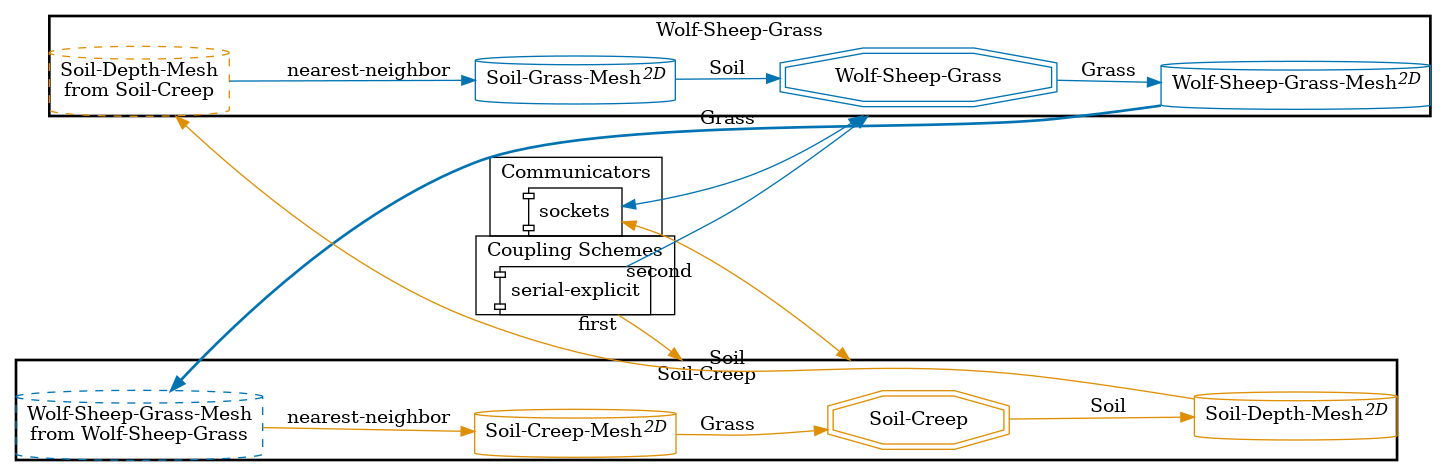
In this implementation, the Mesa wolf-sheep-grass model and the Landlab soil creep model are two separate preCICE participants, exchanging grass cover and soil depth during the simulation. The Mesa participant extracts the current grass map from the wolf-sheep-grass model and sends it to the Landlab participant. The Landlab participant uses this grass map to adapt the soil creep coefficient, evolves the soil thickness, and sends the updated soil depth back to the Mesa participant, where it is used to limit grass growth. This example is intentionally simple and should be understood as a demonstration case for coupling ABM and PDE-style models via preCICE, rather than as a physically calibrated landscape evolution model.
Configuration
preCICE configuration (image generated using the precice-config-visualizer):
Available solvers
Soil-Creep PDE participant:
-
Landlab. Numerical modeling of Earth surface dynamics. For more information, have a look at the Landlab documentation.
-
Standalone reimplementation of the Landlab participant, tailored to this example.
-
FEniCSx. For more information, have a look at the FEniCSx adapter. This solver shows noticeably different results than the Landlab solver (more details).
Wolf-Sheep-Grass ABM participant:
- MESA. Agent-based modeling (or ABM) framework. For more information have a look at the MESA documentation
Running the simulation
Open two separate terminals and start the soil creep and wolf sheep participants by calling the respective run scripts run.sh located in each of the participants’ directories. For example:
cd soil-creep-landlab
./run.sh
and
cd wolf-sheep-grass-mesa
./run.sh
Post-processing
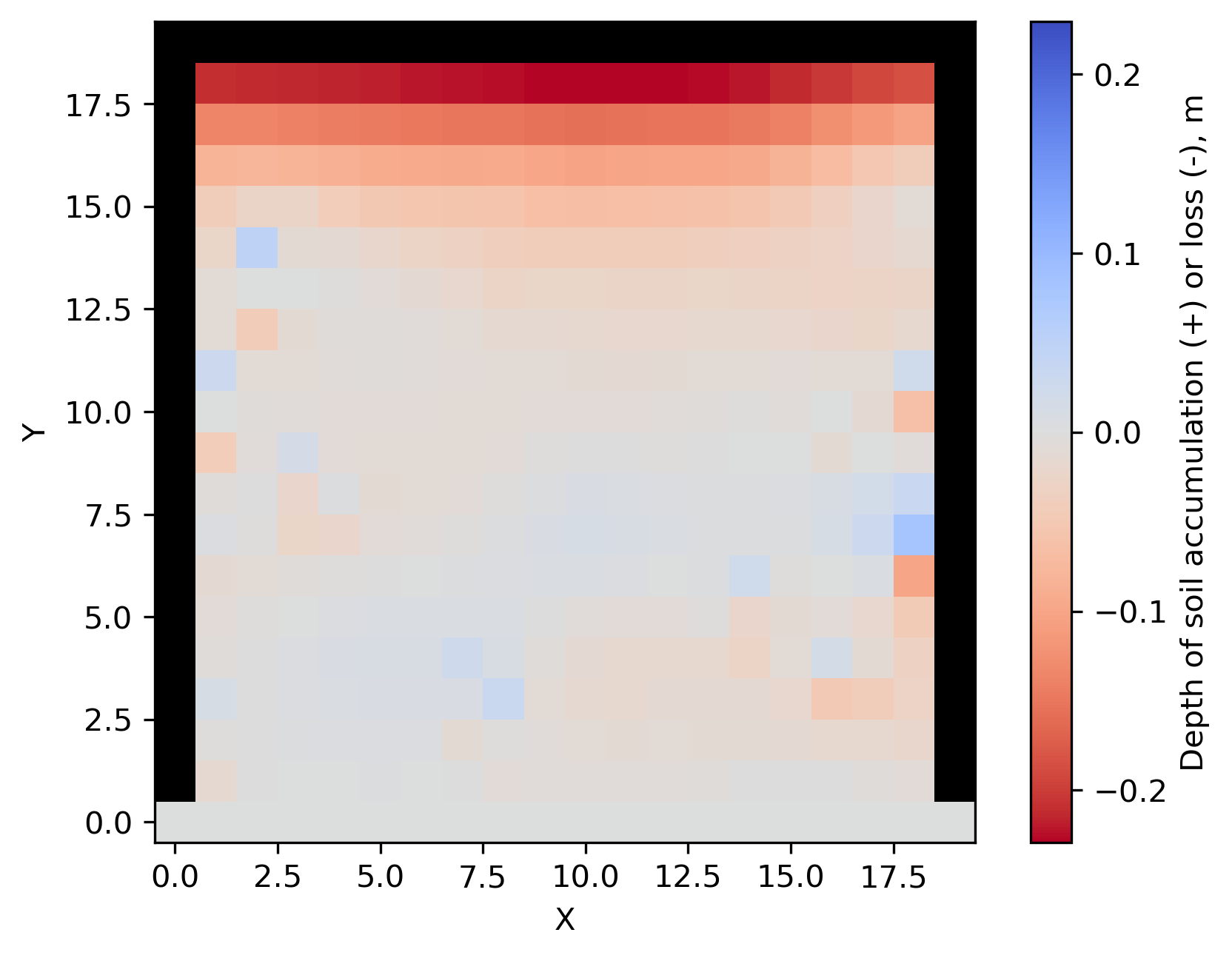
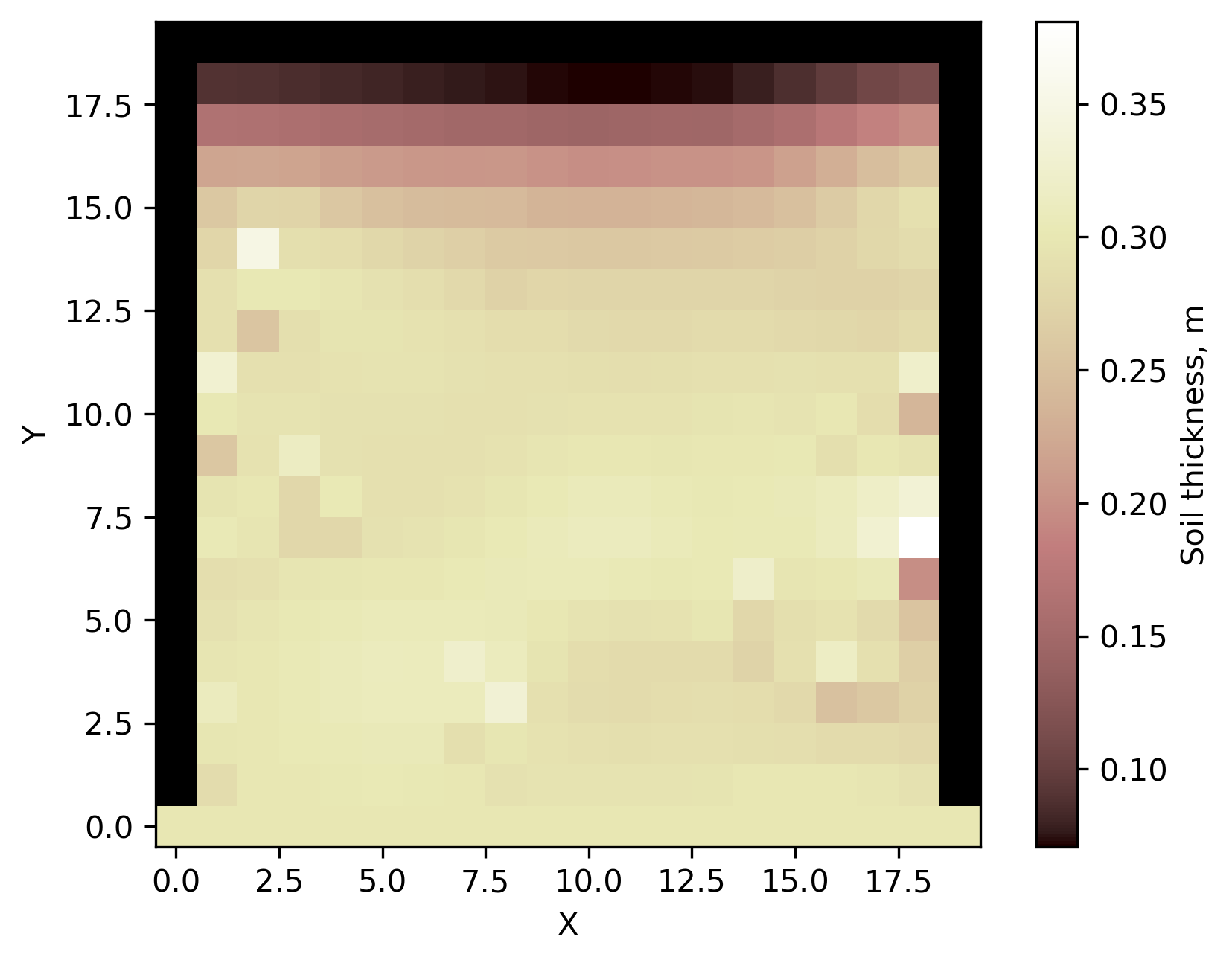
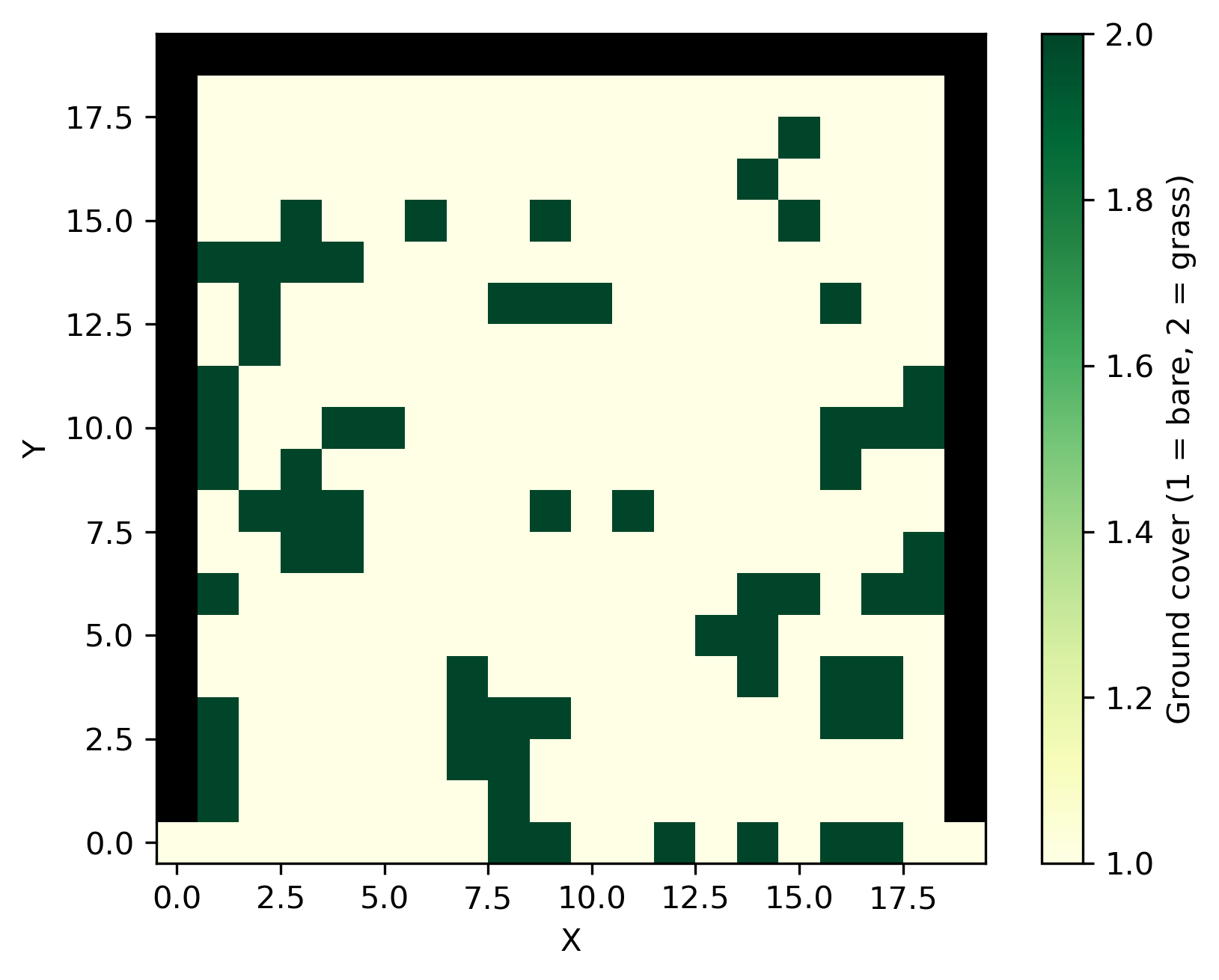
The soil-creep participant generates Python-based visualizations, which are written to soil-creep-landlab/output or soil-creep-fenicsx/output, depending on which participant is used. The following examples were generated by Landlab with rng=42 in the WolfSheepScenario for the wolf-sheep-grass participant.