Channel transport with particles
Setup
We model a two-dimensional incompressible fluid flowing through a channel with an obstacle. The fluid problem is coupled to a particle participant for particle tracing. Similar to the transport problem (see the channel-transport tutorial), particles are arranged in a circular blob close to the inflow. The particles then move along with the flow as depicted in the following figure
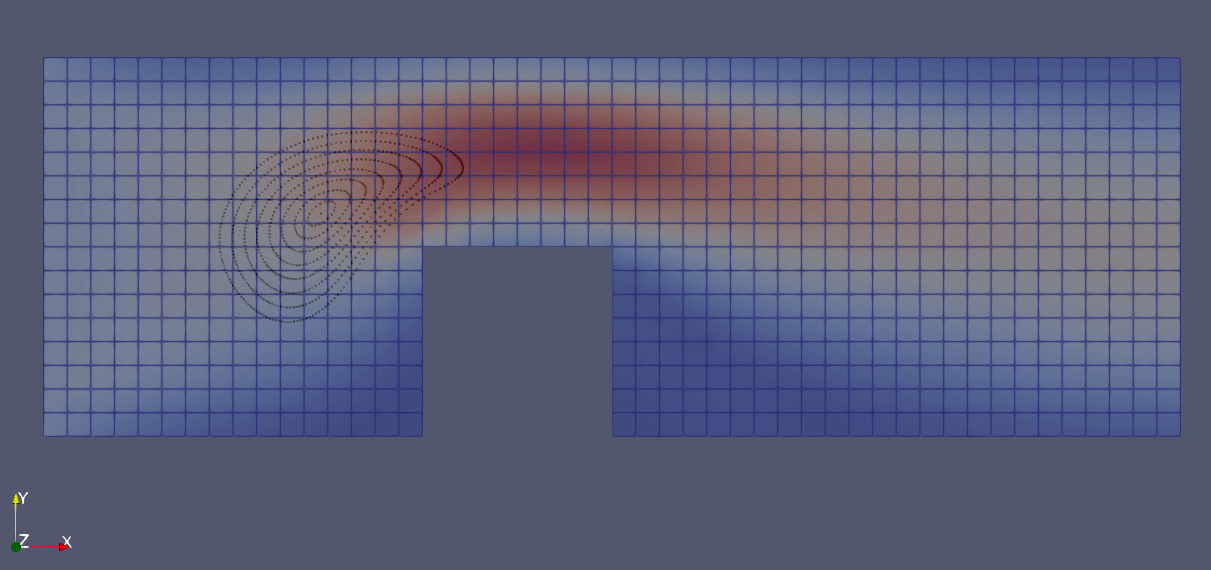
Note that this scenario features a unidirectional coupling, where the fluid velocity affects the particles, but the particles do not affect the fluid.
Configuration
preCICE configuration (image generated using the precice-config-visualizer):

Available solvers
Fluid participant:
-
Nutils. For more information, have a look at the Nutils adapter documentation.
-
OpenFOAM (pimpleFoam). For more information, have a look at the OpenFOAM adapter documentation.
Particle participant:
- MercuryDPM. For the impatient: you may use the script
setup-mercurydpm.shto compile the required MercuryDPM solver, andrun.shto start the coupled simulation. The specific case is available as part of MercuryDPM. To use it, compile MercuryDPM with support for preCICE (-D MercuryDPM_PreCICE_COUPLING="ON"). You can compile the relevant executable only usingmake ChannelTransport. Afterwards, the executableChannelTransportis available in the build tree. Therun.shscript can pick-up the executable, if aMERCURYDPM_BUILD_DIRhas been exported. Copying the executable or providing it as a command line argument is also possible. Userun.sh --helpfor detailed information. Note that the drag model is mostly an arbitrary choice to validate the technical correctness, but it has no physical background.
Running the simulation
For the fluid solver, use Nutils for ease of installation and OpenFOAM for speed.
Open two separate terminals and start one fluid and one transport participant by calling the respective run scripts run.sh located in each of the participants’ directory. For example:
cd fluid-nutils
./run.sh
and the particle solver
cd particles-mercurydpm
./run.sh
Post-processing
All solvers generate vtk files which can be visualized using, e.g., ParaView.