Setup
This tutorial solves a coupled system consisting of a one-phase free flow and a one-phase flow in a porous media.
A pressure gradient is applied to the free flow domain from left to right. The top edge of the free-flow is a non-permeable wall with no-slip boundary conditions. In the porous media, there is a no-flow condition across the domain boundaries (left, bottom, and right boundaries). At the interface, a no-slip condition applies. The case is stationary (solved to a steady-state solution).
The setting is illustrated in the following figure:
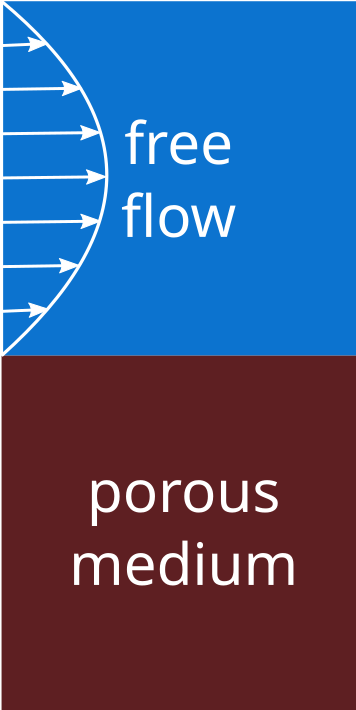
Configuration
preCICE configuration (image generated using the precice-config-visualizer):
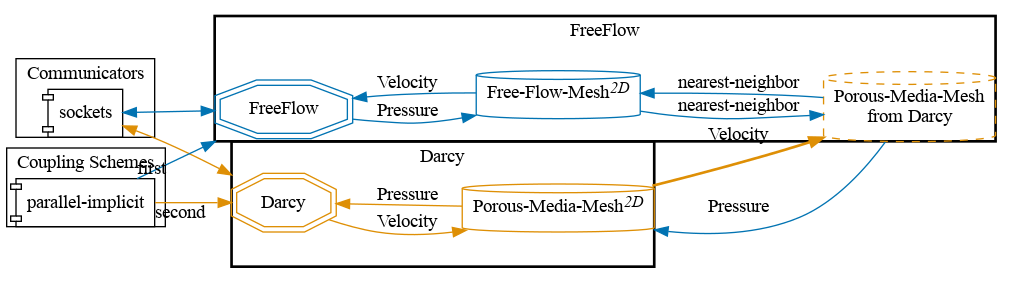
Available solvers
Both the participants are computed using the simulation code DuMux.
Solver setup
To solve the flows with the DuMux framework, the necessary DUNE modules need to be downloaded and set up. This is done by running sh setup-dumux.sh in the tutorial folder.
If an existing path, containing compiled DUNE modules, DuMux and DuMux-adapter, is to be used for compiling the solvers, the path can be specified by setting the arguments while running the script run.sh with -l <path-to-DUNE-common> in each solver folder. The environment variable DUNE_CONTROL_PATH is suppressed by the script. The run.sh scripts in the DuMux solver folders will first compile the solver if not already compiled, and then run the simulation.
Running the simulation
Each participant has a run.sh script.
To run the free-flow participant, run:
cd free-flow-dumux
./run.sh
To run the porous-media participant, run:
cd porous-media-dumux
./run.sh
This assumes a DuMux and DUNE modules installation in the case folder. You can specify the path to an existing DUNE installation with with -l:
./run.sh -l <path-to-DUNE-common>
Participants can be executed only in serial. Parallel execution is not supported. The case takes approximately two minutes to finish.
Post-processing
Both participants write VTU outputs, which can be viewed using ParaView.
Further information
The results of the pressure and the velocity fields are as follows:
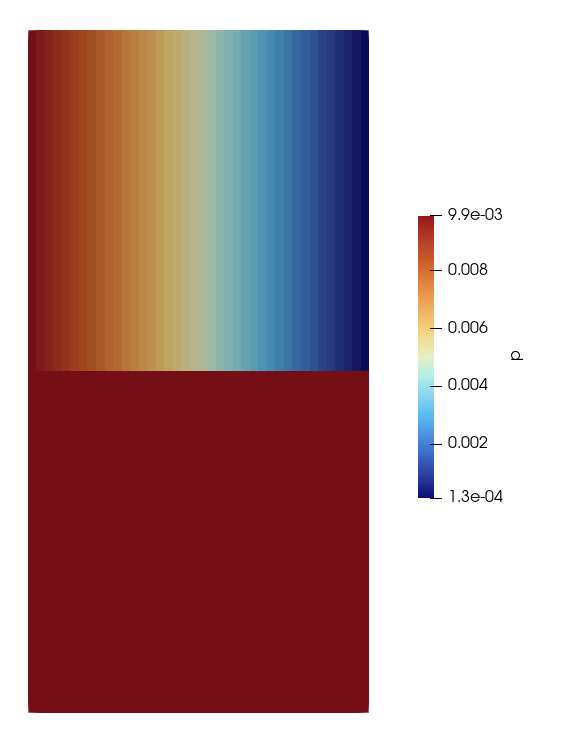
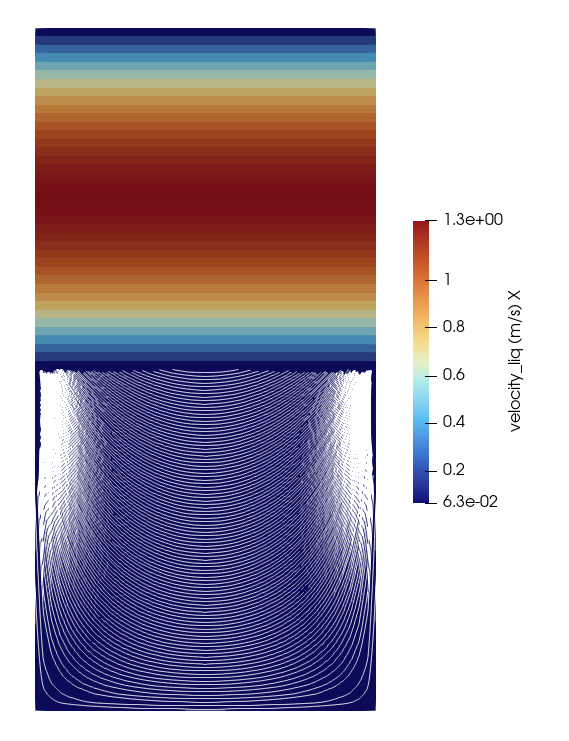
Each solver folder contains an input file (params.input) that will be passed to the solver executables. This is a DuMUX input file describing the simulation setting, e.g., pressure, mesh size, time stepping, etc.