Partitioned heat conduction (complex setup)
This tutorial is the advanced version of the “partitioned heat conduction” tutorial, showcasing more advanced features and geometries.
Note:
Get the case files of this tutorial, as continuously rendered here, or see the latest released version (if there is already one). Read how in the tutorials introduction.
Setup
This case is an advanced version of partitioned-heat-conduction. Some advanced features offered by this case:
- Geometries may be chosen arbitrarily. One possibility is to use a circle and a rectangular plate with a hole, but you can also provide your own geometry, if you want.
- You may combine arbitrary mesh resolutions at the coupling interface.
- Nearest projection mapping is used.
- The Dirichlet and Neumann participants may be swapped arbitrarily.
- The exchanged temperature is still scalar valued, but the heat flux is vector valued.
- You can decide to use a time dependent heat flux and right-hand side to make the problem more challenging.
Configuration
preCICE configuration (image generated using the precice-config-visualizer):
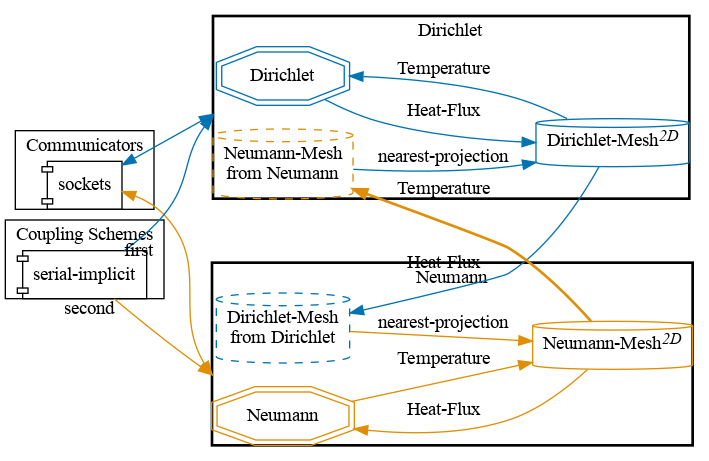
Available solvers and dependencies
See partitioned-heat-conduction, only fenics is provided as a solver.
Running the simulation
See partitioned-heat-conduction. The additional featured mentioned above can be activated via command line arguments. Please run python3 solver-fenics/heat.py --help for a full list of provided arguments.